

Web Platform
Replace your fleet Excel.
No more Excel files and WhatsApp groups. Manage documents, maintenance, fuel, expenses, communication, drivers, and reports — all in one dashboard, any device.


Replace your fleet Excel.
No more Excel files and WhatsApp groups. Manage documents, maintenance, fuel, expenses, communication, drivers, and reports — all in one dashboard, any device.
WHY MOVCAR?
Main Reasons
Simplified Operations
Movcar consolidates fleet management tasks into a single, intuitive platform, reducing paperwork, saving time and improving efficiency.
Global Reach
Available in 26+ languages from day one — manage multilingual, multi-country fleets without language barriers.
Reminders
Get notifications and reminders before any important action, event or deadline and stay in control.
Communication
The mobile app facilitates communication & data exchange between fleet managers and drivers.
Scalability
Movcar grows with your business, offering tailored features and support for fleets of all sizes, ensuring long-term scalability and adaptability.
AREAS THAT WE COVER
CLAIMS
TIRES
DOCUMENTS
ALERTS
MILEAGE
INSPECTIONS
REVENUES
EQUIPMENT (soon)
FUEL CARDS
COSTS
REPORTS
VEHICLE HANDOVERS
VEHICLES
DRIVERS
SERVICE PLANS
AND MORE...
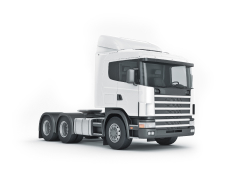
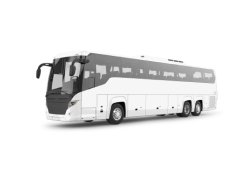
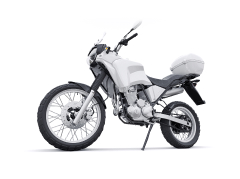
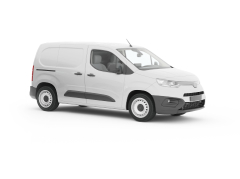
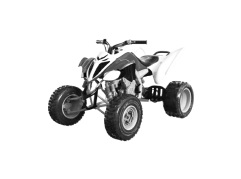
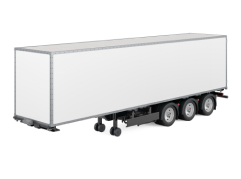
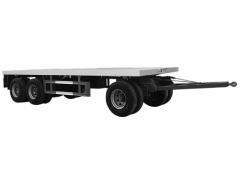
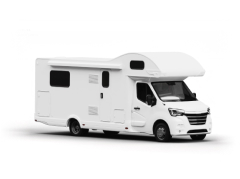
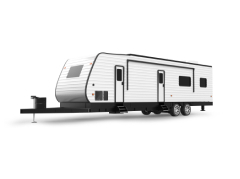
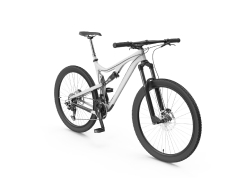
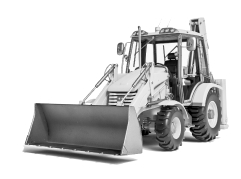
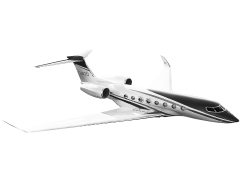
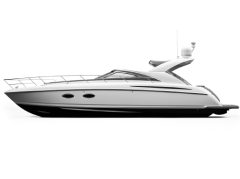
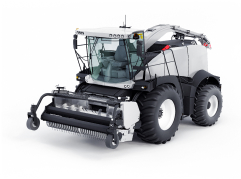
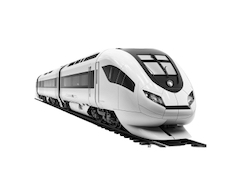
Regardless of whether you have a fleet of cars, trucks, buses, agricultural machinery, motorcycles or forklifters - you can now store them all in one place. For your convenience, we offer the ability to import / export data from Excel.

Register standard documents (i.e. MTPL Insurance) or personalized documents - and name them as you need. Allow Movcar to monitor you expiration dates and get reminders via email or push message so you never miss them.

247161
Registered documents
27017
Vehicles registered
1100
Paying customers
Record every service or repair you perform on your vehicle. Keep a digital history for your entire fleet. Receive reminders for oil changes and other activities - by date and mileage.

Fleet managers run operations from the web. Drivers connect via the mobile app. Allow drivers to access vehicle documents or data and report mileage, log trips, expenses, accidents or income activity via the Movcar App. Send push messages to one or more drivers.

Record odometer readings in the web panel or mobile app every day or after every trip. Keep mileage statistics for a single vehicle and the entire fleet. Export trip logs for vehicles into Excel for accounting needs and deduct your taxes (VAT).


Drivers and permissions
Keep records of your drivers like: contact details, driving permissions or employment contracts. Make sure that no deadline is passed to avoid stress and unnecessary costs.

Expenses and Revenues
Register all invoices, to track expenses, incomes and many more. Keep all fleet equipment and financials in one place.

Reports & Analytics
Store the data you want, and quickly create the reports you need.

Manage from anywhere
Access your fleet account from any PC, laptop, tablet, or mobile phone as they work on any device.
Fuel Expenses
Register refuel activities one by one - or upload your fuel report directly from Excel.
Import/Export
Comfortably upload or download any data from your fleet: vehicles, documents, insurances, drivers and more using Excel sheets.
Insurance claims
Receive insurance claim notifications with pictures and signed PDFs from drivers reported using the Movcar mobile app - ready to forward to your insurer or stakeholder.
Tires & Deposits
Keep an overview of tires - installed on the vehicle (front/back), in deposit, status, quality, measurements, purchase date, and many more.
Your Team
Invite all team members and manage your fleet together.
Special needs?
Let us know if you need a special feature, report, or we should connect our mobile app to your inhouse CRM?
Service Plans
Set maintenance plans for each vehicle seperately and get notified when next oil change, filter or other activity is due based on time or mileage
Vehicle Transfers
Allow to transfer electronically vehicles with e-signature, damage capturing and confirmation email to everyone involved
At the country level, Movcar allows each national entity to manage its own operations with the exact permissions it needs. Companies, branches, or business units receive tailored access — from full administrative control to limited, task-focused visibility.
Country fleet managers gain a clear view of all local vehicles, drivers, expenses, and documents, ensuring consistent processes and compliance with internal policies across the entire country.
At the regional level, Movcar brings multiple countries or business units together under one coordinated structure.
A regional fleet manager can supervise all country-level teams, compare performance and operating costs, and enforce shared standards across the region. The system provides a unified overview while still respecting local responsibilities and access rights.
At the global level, Movcar enables complete oversight of the entire international fleet structure.
Global headquarters can monitor all regions and countries, apply corporate policies, standardize reporting, and ensure transparency across hundreds or thousands of vehicles worldwide.
Each layer — global, regional, and country — receives precisely defined access, creating a clear, traditional hierarchy that supports disciplined fleet governance without unnecessary complexity.
Google Rating
“What impressed us most is how quickly Movcar evolves. New features appear regularly, and the support team understands our needs. Movcar has become an integral part of how we run our operations and how we optimize our rental fleet.”
Thomas Weber
Fleet Manager, Automotive Rental Company (310+ vehicles)
“Movcar’s driver app has changed the way we communicate. Drivers report incidents, expenses, and services instantly. We no longer chase information — it comes automatically and is always documented. It saves us hours every week.”
Sofia Almeida
Operations & Driver Coordinator, Delivery Services (140+ vehicles + 160 drivers)
"Before Movcar, I tracked everything in Excel and waited for drivers to reply on WhatsApp. Now documents, maintenance, and expenses are all in one place. I finally have control without the daily admin work."
Daniel Herrera
Owner, Delivery Services Company (9 vehicles)
“As a smaller business, we expected fleet platforms to be too complex or too expensive. Movcar proved us wrong. It’s simple, affordable, and saves us a remarkable amount of time. Everything — from service records to costs — is finally organized.”
Jason Miller
Owner & Fleet Operator, Local Service Company (20+ vehicles)
"We tested several platforms, but none matched Movcar's simplicity. Our drivers use the mobile app without training, and our team finally has up-to-date visibility into what is happening with every vehicle. Movcar eliminated misunderstandings and delays."
Laura Bennett
Operations Director, International Retail Chain (180+ vehicles)
“Movcar has brought order to our entire fleet operation. For the first time I can clearly track costs, monitor mileage, manage drivers, and stay ahead of every deadline without juggling spreadsheets. It has become a central tool in my daily work.”
Adam Krüger
Fleet Manager, Logistics Company (250+ vehicles)
Documents, finances, maintenance, drivers, reports, and more.
The web platform covers vehicles, documents, finances, mileage, fuel cards, tires, maintenance, service plans, tachographs, drivers, claims, reports, and team management. The exact modules available depend on your plan — see the full feature list on the All Features page.
Drivers enter a Fleet Code and connect instantly.
Fleet managers set up the fleet on the web platform. Drivers download the Movcar app and enter their Fleet Code to connect to their assigned vehicles. No IT setup required. The driver app is included in the Corporate plan.
Yes — on the Corporate plan.
Data import and export via Excel is available on the Corporate plan. You can import vehicles, documents, insurances, drivers, and more. No manual re-entry needed.
Yes — on the Corporate plan.
Multiple fleet management supports groups, franchises, and multi-country operations with a structured hierarchy and separate access rights per fleet.
Yes — EU hosting, GDPR compliant.
We use AWS EU servers for data hosting. Movcar is GDPR-compliant. A Data Processing Agreement is available on request for any plan.
Yes — from Starter Plus and above.
Invite colleagues as Fleet Admins from the Starter Plus plan onwards. Fleet Admins get full operational access without billing or subscription management rights.
Documents, finances, maintenance, drivers, reports, and more.
The web platform covers vehicles, documents, finances, mileage, fuel cards, tires, maintenance, service plans, tachographs, drivers, claims, reports, and team management. The exact modules available depend on your plan — see the full feature list on the All Features page.
Drivers enter a Fleet Code and connect instantly.
Fleet managers set up the fleet on the web platform. Drivers download the Movcar app and enter their Fleet Code to connect to their assigned vehicles. No IT setup required. The driver app is included in the Corporate plan.
Yes — on the Corporate plan.
Data import and export via Excel is available on the Corporate plan. You can import vehicles, documents, insurances, drivers, and more. No manual re-entry needed.
Yes — on the Corporate plan.
Multiple fleet management supports groups, franchises, and multi-country operations with a structured hierarchy and separate access rights per fleet.
Yes — EU hosting, GDPR compliant.
We use AWS EU servers for data hosting. Movcar is GDPR-compliant. A Data Processing Agreement is available on request for any plan.
Yes — from Starter Plus and above.
Invite colleagues as Fleet Admins from the Starter Plus plan onwards. Fleet Admins get full operational access without billing or subscription management rights.